
SOPHIA OLISE
 Data Analysis
 0 comment
 30 Sep, 2025
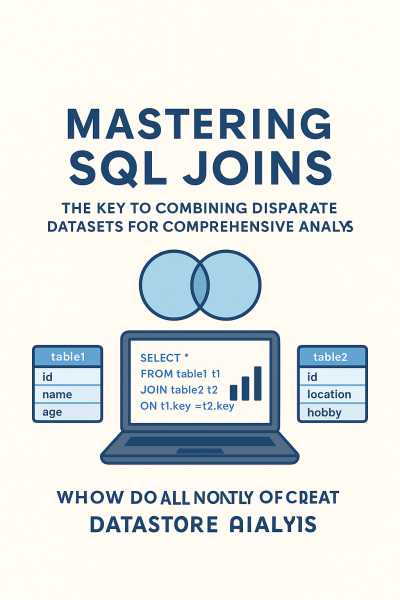
In the modern data ecosystem, information is never stored in one place. Businesses, whether they are major e-commerce platforms in Lagos or local logistics companies in Abia State, generate data across multiple, specialized platforms: sales data lives in one system, customer information in another, and financial records in a third. To gain a holistic, complete view of operations, analysts must bridge these gaps.
This is the essential role of SQL Joins. Joins are, arguably, the most powerful tool in the data analyst's toolkit, allowing you to seamlessly merge two or more tables based on a related common column. Mastering Joins is the key to transforming fragmented data into powerful, comprehensive insights that drive smart business decisions.
A Join is a relational operation in SQL that combines rows from two or more tables based on a specified relationship between their columns. This process moves the analysis beyond individual silos and allows you to answer complex, interconnected business questions:
The efficiency gained by performing a single, powerful Join query, rather than exporting and manually merging data in a spreadsheet, is immeasurable.
Understanding the four primary types of Joins is crucial, as each one dictates exactly which data rows will be included or excluded from your final combined table.
The structure of a Join is explicit and requires three key components: the Join type, the second table, and the related key.
SQL
SELECT
C.Name,
O.Product,
O.Amount
FROM
Customers AS C -- 1. The Left Table (Main Focus)
[INNER | LEFT | RIGHT | FULL] JOIN -- 2. The Type of Join
Orders AS O -- 3. The Right Table
ON
C.CustomerID = O.CustomerID; -- 4. The Join Condition (The common column)
In the example above, using table aliases (C for Customers, O for Orders) is standard professional practice that makes the query cleaner and easier to read.
Mastering Joins is the difference between a data clerk and a strategic analyst.
SQL Joins are not just complex technical commands; they are the fundamental bridge that connects raw, fragmented data into powerful, integrated insights for business growth. By mastering the core Join types, you elevate your data analysis skills from basic retrieval to advanced synthesis, making you an indispensable asset in any data-driven organization.
Whether you're starting or upgrading your tech skills, you can begin your learning journey with us today.
Review Affordable Tech Course with us at ECR Academy We provide the hands-on, project-focused training you need to master tech skills like Digital Marketing, Web development, Data Analysis, Cybersecurity.
Build Comprehensive Digital Solutions with ECR Technology Services Limited Let us help you bring your brand, business, or idea online with professional digital solutions such as secure, responsive websites, robust mobile applications, high-impact digital marketing templates, and specialized Learning Management Systems (LMS).
Contact Us Today:
SQL Joins are used to combine data from multiple tables into a single dataset for analysis.
The INNER JOIN is the most common because it retrieves only matching records.
No, SQL is beginner-friendly. You only need basic logical reasoning.
Yes! SQL Joins prepare clean datasets that can easily be imported into Excel and Power BI.
With practice, most learners can confidently use Joins within 2–4 weeks.


SOPHIA OLISE
Data Analyst
Olise Sophia Amarachi is a passionate and purpose-driven data analyst and digital skills advocate based in Nigeria. With a strong foundation in Excel, Power BI, and SQL, she empowers others—especially young people and corps members—through practical training, tech mentorship, and values-based leadership. Sophia’s journey into data analysis began during her NYSC year in Abia State, where she committed herself to learning and growing from scratch. Today, she shares her knowledge through online classes, challenges, and hands-on projects, including dashboards and reports that translate complex data into clear insights.
0 comment